
Written by Lucas Mason
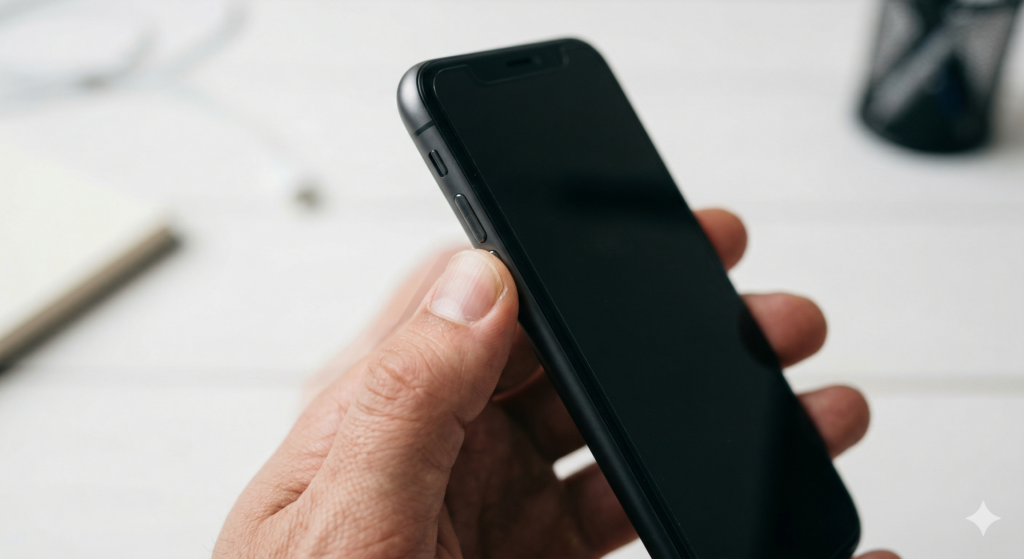
You press the power button. Nothing happens visually — but the phone vibrates. You press it again. Another vibration. Then another. The screen stays black, or the volume shoots to maximum on its own, or Siri launches repeatedly without being asked. Your phone just entered a vibration loop, and no amount of pressing, holding, or tapping breaks the cycle.
Welcome to the emerging nightmare of solid-state button haptic feedback failure — a problem that barely existed two years ago but now ranks among the fastest-growing repair complaints in the smartphone industry. As manufacturers replace traditional mechanical buttons with pressure-sensitive solid-state alternatives, a new category of hardware failure has appeared. One that most users don’t understand and most online guides can’t help with.
At Reparation Tech in Montreal, we’ve seen a sharp rise in these cases since late 2025. Customers describe buttons that “feel dead” or phones stuck in phantom input loops. The device isn’t frozen. The screen works fine. But the solid-state button layer has lost its ability to distinguish a real press from electrical noise. This guide explains what’s happening, why it’s happening now, and what you can do about it.
Section 1: What Solid-State Buttons Are and Why They Fail Differently Than Mechanical Ones
How Solid-State Buttons Actually Work
Traditional phone buttons use a physical switch. Press down, a metal dome clicks, and the circuit closes. Simple. Reliable for decades.
Solid-state buttons eliminate that moving mechanism entirely. Instead, they use a force-sensitive layer paired with a haptic engine — a tiny linear actuator that vibrates to simulate the feeling of a click. The button doesn’t actually move. The phone detects pressure through a strain gauge or capacitive sensor, then fires the haptic motor to trick your finger into thinking it moved.
Apple introduced this with the iPhone 7 home button. By 2026, multiple flagship manufacturers adopted solid-state designs for power buttons, volume controls, and even camera shutters.
Why This Design Creates New Failure Modes
Mechanical buttons fail in predictable ways. They get mushy, they stick, or they stop clicking. You can feel the failure happening. Solid-state buttons fail invisibly — and often catastrophically.
The system depends on two components talking to each other perfectly: the pressure sensor and the haptic engine. When either one drifts out of calibration, the phone misinterprets input. Press lightly and nothing registers. Press normally and the phone reads it as multiple rapid presses. Or worst of all — the sensor detects phantom pressure that doesn’t exist, triggering continuous haptic vibrations in a loop the user can’t stop.
This calibration drift happens for several reasons. Temperature cycling causes micro-expansion in the adhesive layers. Physical impact shifts the sensor’s position relative to the button surface. Moisture creeps into the gap between the sensor and the chassis. Even normal wear over 18 to 24 months can cause enough drift to trigger phantom inputs.
Section 2: Recognizing the Symptoms — Is Your Phone Stuck in a Haptic Loop?
The Most Common Patterns
Not every button glitch means a solid-state failure. Here’s how to distinguish a haptic loop from a regular software bug:
- Continuous vibration without input. The phone vibrates rhythmically while sitting untouched on a table. No notification triggers it. No alarm is set. The haptic motor fires on its own because the sensor reads constant phantom pressure.
- Phantom button presses. The volume changes by itself. Siri or Google Assistant activates randomly. The phone takes screenshots on its own. Emergency SOS triggers during pocket carry. These phantom inputs come from the solid-state sensor misreading ambient pressure as intentional presses.
- Buttons feel “dead” then suddenly over-respond. You press the power button five times with no response. On the sixth press, the phone registers all six at once. The sensor’s pressure threshold drifted — it ignores light presses then floods the system when pressure crosses the skewed threshold.
- The haptic feedback feels wrong. The simulated click feels weaker than it used to, or it fires with a delay. Or it double-taps when you only pressed once. The haptic motor itself may be failing, or the calibration between sensor and motor lost sync.
Quick Software Checks Before Assuming Hardware
Rule out software causes first. They’re rare with haptic loops, but worth checking:
Restart the phone using on-screen controls or voice commands if the physical button won’t cooperate. On iPhone, go to Settings > Accessibility > Touch > AssistiveTouch to create a virtual button. Check for system updates — Apple and other manufacturers occasionally patch haptic calibration through firmware.
If the problem persists after a restart and software update, the failure lives in the hardware. Software can’t fix a sensor that physically drifted out of position or a haptic motor with worn-out coils.
For similar diagnostic approaches to other sensor failures, our guide on fixing phones that randomly lose sound during calls walks through the same hardware-versus-software ruling-out process.
Section 3: What Causes Solid-State Button Failures in 2026 — and What Fixes Them
The Root Causes Behind the 2026 Spike
Several factors converged to make this problem far more common this year.
Thinner chassis designs compress tolerances. Manufacturers shaved fractions of a millimeter from phone bodies. That leaves less room between the pressure sensor and the exterior button surface. Any slight shift — from a drop, temperature change, or case pressure — pushes the sensor out of its working range.
Haptic engines wear out faster than expected. The linear actuators used in solid-state button feedback run thousands of micro-vibrations daily. After 18 months of heavy use, the actuator’s precision degrades. It produces inconsistent feedback that confuses the calibration loop between sensor and motor.
Adhesive degradation from heat. The pressure sensor mounts to the chassis with specialized adhesive. Summer heat, fast charging, and processor-intensive tasks generate internal temperatures that gradually weaken this bond. Once the adhesive softens, the sensor shifts position. That shift is often less than a millimeter — but enough to cause phantom inputs.
Aftermarket screen repairs disturb the calibration. On some phone models, the solid-state button assembly connects through the display flex cable. A screen replacement done without recalibrating the haptic system can leave the buttons permanently out of spec. We see this often when customers bring phones repaired elsewhere that started exhibiting button problems shortly after. If your phone had a prior repair and the buttons changed afterward, that’s almost certainly the cause.
How Professional Repair Addresses the Problem
Fixing a solid-state button failure requires component-level work. You can’t recalibrate these sensors through settings menus or DIY tools.
At Reparation Tech, the repair process starts with isolating which component failed. We test the pressure sensor independently from the haptic motor. A failing sensor needs replacement or repositioning. A worn haptic actuator needs a new unit. If the issue stems from adhesive degradation, the technician cleans the mounting surface, applies fresh thermal-grade adhesive, and recalibrates the sensor’s pressure threshold.
For phones where the button assembly ties into the display flex cable, the repair may involve replacing both the screen and the button module together — then running manufacturer-level calibration software. Our Android repair and iPhone repair teams handle this calibration as part of every solid-state button repair.
You can get an instant quote for your specific device, or visit our Montreal location on Notre Dame West for a same-day diagnostic. We also cover related issues like boot loops and phones that won’t turn on — problems that a stuck solid-state button can sometimes trigger.
Section 4: Conclusion and Final Thoughts
Solid-state buttons represented a genuine engineering advancement. No moving parts means no mechanical wear — in theory. But 2026 proved that these systems create their own failure modes. Pressure sensors drift. Haptic motors degrade. Adhesive weakens. And when any of those happen, the phone misreads every input or invents inputs that never occurred.
If your phone vibrates on its own, registers phantom button presses, or refuses to respond to the power or volume buttons, a solid-state haptic failure is the likely cause. Start by ruling out software — restart, update, enable AssistiveTouch. But if the behavior continues, the sensor or motor needs professional attention.
Don’t ignore a haptic loop. Phantom power button presses can trigger Emergency SOS calls. Phantom volume inputs drain battery by maxing speaker output. And a stuck input loop can prevent the phone from sleeping, which degrades battery health over time. Our post on swollen battery risks explains how excess heat and battery stress from situations like these can escalate into safety hazards.
If your phone’s buttons stopped behaving normally, contact Reparation Tech ou get an instant repair quote. Our technicians work on the device right in front of you — fully transparent, start to finish. Most solid-state button repairs finish same-day, and every repair comes with our lifetime warranty.
FAQs
Understanding Solid-State Button Issues
What’s the difference between a solid-state button and a normal button?
A normal button physically clicks when pressed — a metal dome inside compresses and closes a circuit. A solid-state button doesn’t move at all. It uses a pressure sensor to detect force and a tiny vibration motor to simulate the click feeling. The “click” you feel is artificial haptic feedback, not a mechanical switch.
Can a phone case cause solid-state button problems?
Yes. Thick or rigid cases can apply constant pressure against the button surface. The sensor reads that constant pressure as a partial press. Over time, this confuses the calibration and leads to phantom inputs or reduced responsiveness. Try removing your case and testing the buttons bare.
Why does my phone vibrate on its own without any notification?
If no notification, alarm, or call triggers it, the haptic motor is firing because the pressure sensor detects phantom input. The sensor drifted from its calibrated position — usually from a drop, heat exposure, or normal wear. This requires recalibration or component replacement.
Repair Questions
Can I fix a solid-state button myself?
Not realistically. These sensors require precise positioning and manufacturer-level calibration tools. DIY attempts risk permanently damaging the sensor, the haptic motor, or the display flex cable that connects them. A professional repair at a shop like Reparation Tech is the safest path.
How much does a solid-state button repair cost?
It depends on the phone model and which component failed. A haptic motor replacement costs less than a full sensor-and-display-cable swap. Get an instant quote for your specific device. Most repairs cost far less than replacing the phone.
Will a factory reset fix a haptic feedback loop?
No. A factory reset addresses software issues. Haptic feedback loops stem from physical sensor drift or motor degradation — problems that live in the hardware. Resetting the phone erases your data without touching the component that’s actually failing.
 French
  English