
Written by: Lucas Mason
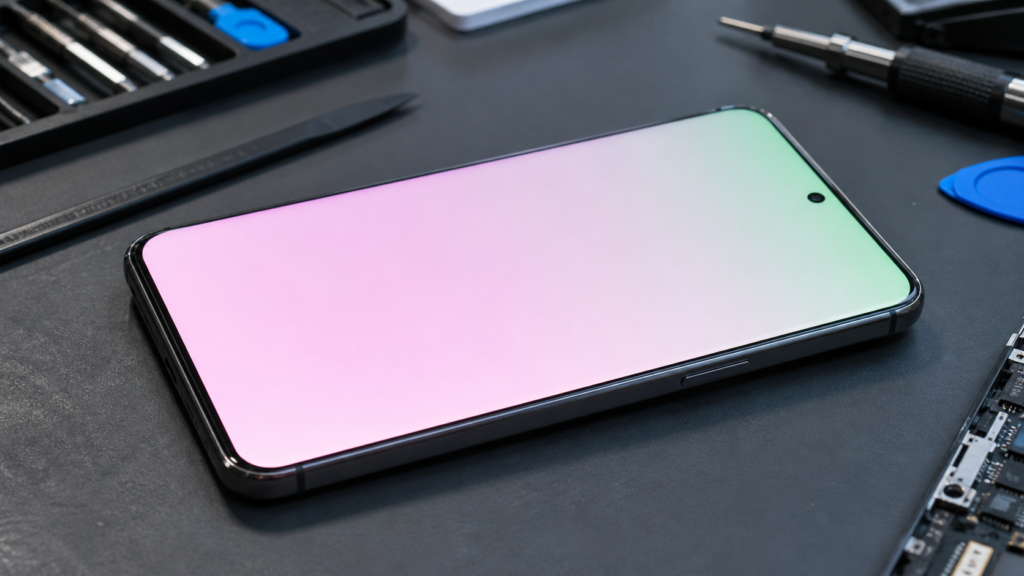
You unlock your phone one morning, and the white background in your messages app looks… off. A faint pink wash. Maybe a green smear on one side, depending on the angle you tilt the screen. It’s the kind of thing you almost convince yourself you’re imagining — until you set it next to another phone and realize the OLED pink tint isn’t your eyes playing tricks. It’s real, and in 2026, it’s walking into repair shops a lot more often than the manufacturers care to admit.
I’ve spent the last several months looking at this exact issue across the bench at our Montreal shop. Phones from late 2024 right through this year’s flagships keep coming in with the same complaint, and the pattern is getting hard to ignore. This guide is built from what we’ve actually seen — the failures that respond to a quick fix, and the ones that quietly tell you the panel is finished.
Section 1: What the OLED Pink Tint Actually Is (And Why It’s Different This Year)
A pink tint on an OLED display isn’t a new phenomenon. Anyone who owned an early Galaxy S20 or a heavily-used iPhone X has probably seen one. What’s different about the 2026 wave is the type of panel involved: LTPO (Low-Temperature Polycrystalline Oxide) OLEDs running variable refresh rates from 1Hz all the way up to 120Hz, sometimes higher.
LTPO panels are clever. They sip power by slowing the refresh rate when you’re staring at a still image, then ramping it back up the moment you scroll. The trade-off is that they’re also more sensitive to subpixel aging, voltage drift in the thin-film transistor layer, and what engineers call “luminance non-uniformity.” In plain English: the red, green, and blue subpixels age at slightly different rates, and once that gap widens, you get a tint. Usually pink. Sometimes green. Occasionally a dim yellowish band along one edge.
Industry research published through the Society for Information Display has long shown that blue OLED subpixels degrade fastest, which is why the remaining red and green output starts to dominate over time — pushing whites toward a magenta or pink cast. That’s the underlying chemistry. The 2026 wrinkle is that aggressive AI-driven brightness boosting, HDR-on-by-default content, and longer screen-on times are accelerating the process by months, sometimes years.
Section 2: The Real-World Causes We See Most Often
In the shop, the pink tint problem almost always traces back to one of a handful of culprits. Figuring out which is which usually decides whether we can save your screen, or whether you’re looking at a panel replacement.
Heat damage from sustained high brightness
Phones routinely push 1,800 to 2,500 nits in HDR mode now. That kind of output generates real heat at the panel layer, and OLED organic compounds do not love heat. If you’ve used your phone for outdoor navigation through a hot summer, gamed for hours with peak brightness cranked, or left it baking on a car dashboard, the cumulative thermal stress can show up as a tint months later. We’ve covered the broader heat problem in our breakdown of how 2026 mobile AI is silently chewing through logic boards, and the display is often collateral damage in the same fight.
Pressure or impact damage you didn’t notice
You don’t need a cracked screen to hurt the panel. A phone that took a hard drop, sat under a heavy bag, or got squeezed in a back pocket can develop tiny localized pressure points where the OLED stack flexes. Those spots often show up first as a pink or green patch before anything else fails. If your phone has also started registering phantom inputs, the underlying bruise might be the same one — there’s a reason we’ve documented the ghost touch crisis hitting 2026 OLED screens in such detail.
A swelling battery underneath the display
This one is genuinely dangerous, and it’s missed often. As lithium-ion batteries age, they can off-gas and physically expand. The first visible warning is sometimes nothing more than a slight color shift along the bottom of the screen — pink, oddly enough, before the panel actually starts lifting. If the screen is also developing a faint gap at the edge, stop using the phone and read our guide on why a swollen battery is a real fire risk, not just a glitch. I’m not being dramatic. We’ve had two of these come in this quarter that were within days of venting.
Moisture intrusion
Living somewhere with a real winter, the way we do, brings its own version of this problem. Cold air outside, warm humid air inside, and a phone cycling between the two collects condensation under the display assembly. The water doesn’t have to short anything out to cause a tint — it just has to disrupt the polarizer or the optical adhesive sandwiched between the panel layers. Local readers will want to look at how Montreal’s humidity and road salt actually attack a phone for the full picture there.
Subpixel burn-in masquerading as a tint
If your tint is uniform across the entire panel, it’s probably aging or heat. If it’s localized — say, a pink rectangle where your status bar lives, or a faint band where your keyboard sits — that’s burn-in. The pixels around the burned area look correct, and the burned area looks tinted by comparison. Same root cause (uneven subpixel aging), different visual signature.
Section 3: What You Can Actually Do About It
Now for the part most guides skip. Some of these tints are fixable from your couch. Some aren’t. Knowing which is which saves you both money and frustration.
Try the software-side fixes first
Before assuming hardware failure, work through the basics. Restart the phone. Toggle True Tone, Night Shift, or your equivalent adaptive color setting off, then back on. Check that no accessibility color filter has switched itself on by accident — this trips people up more than you’d guess. On Android, dig into Developer Options and make sure the color space hasn’t been changed to sRGB or “Natural” when you weren’t looking. If the tint vanishes, you’re done. Free fix.
If your phone has also been running unusually warm or rebooting on its own, the display behavior might be the symptom of something deeper. Our walkthrough on what to do when a phone keeps restarting randomly makes a useful companion read.
Look for the early hardware warning signs
Run a solid white image full-screen at maximum brightness. Then a solid red, then green, then blue. Any patches, lines, or off-color zones that show up are physical, not software. If you see them, the panel itself is involved. We list this kind of test in our overview of the five clearest signs your device’s hardware is failing, and it applies cleanly to display issues.
Don’t fall for the cheap aftermarket panel trap
Once a tint is confirmed as hardware, you’ll start seeing screen replacement quotes at wildly different prices. Resist the pull of the cheapest one. Aftermarket OLEDs — especially the unbranded “INCELL” or “OLED-soft” panels flooding the supply chain in 2026 — frequently develop their own tint within months because their subpixel calibration data is borrowed, not original. We broke this down in our honest take on cheap phone screen replacements, and pink tint is one of the failure modes we flagged from real customer returns.
When to take it to a professional
The honest answer: if the tint is faint, even, and the phone is still under warranty, file a warranty claim with the manufacturer first. That’s your cheapest path. If the phone is out of warranty and the tint bothers you enough that you’re reading this article, a panel replacement at a reputable independent shop using OEM-grade displays is the realistic fix. Expect anywhere from $180 to $400 CAD depending on the model, with flagship Pro variants at the upper end. And if you’re seriously considering trading the phone in rather than repairing it, our 2026 resale checklist for Montreal owners walks through exactly how a tinted display affects trade-in value — spoiler: significantly.
Section 4: Conclusion and Final Thoughts
The pink tint problem on 2026 OLED phones isn’t a defect in the dramatic sense. It’s the predictable result of pushing organic display materials harder than ever, paired with a generation of LTPO panels that show their wear in color rather than dead pixels. Some of it is solvable at home. Some of it absolutely requires hands on the device. The trick is identifying which camp you’re in before you spend money on a fix you don’t actually need — or worse, ignore one that’s hiding a battery problem underneath.
If your tint is faint, recent, and tied to a specific software change, work the settings first. If it’s worsening, shifting position, or showing up alongside other symptoms — heat, ghost touches, a screen that feels slightly raised — treat it as a hardware issue and don’t wait. OLED panels rarely heal themselves, and the failures that start as a pink wash often end as something more expensive a few months later.
When in doubt, get a real diagnosis from a technician who actually works on these panels every week. A ten-minute inspection beats a three-hundred-dollar guess every time.
FAQs
Does an OLED pink tint mean my phone is dying?
Not necessarily. A faint, uniform tint is often early subpixel aging and the phone can run for years that way. A spreading, patchy, or quickly worsening tint is a sign the panel is failing and should be evaluated soon.
Can I fix the pink tint without replacing the screen?
Sometimes. If a software setting, color filter, or recent OS update caused it, yes. If the underlying OLED layer is damaged, aging unevenly, or sitting on top of a swelling battery, no — the only real fix is hardware service.
Is leaving my phone at high brightness causing this?
It contributes. Sustained high brightness, especially in HDR or outdoor peak modes, accelerates blue subpixel decay and brings the pink tint forward by months or even years.
Will a factory reset get rid of the pink tint?
Only if the cause is software. A reset won’t reverse physical OLED aging, pressure damage, or moisture under the polarizer.
Is it safe to keep using a phone with a pink tint?
Usually yes — but check first that the tint isn’t being caused by a swelling battery, which is a genuine fire hazard. If the screen feels even slightly raised at the edges, stop using the phone and have it looked at.
Disclaimer
This article is informational and reflects hands-on repair experience with affected devices. It is not a substitute for a direct diagnosis of your specific phone. If your display issue is paired with battery swelling, overheating, or any unusual smell, stop using the device immediately and consult a qualified repair technician.
 French
  English