
Written by Lucas Mason
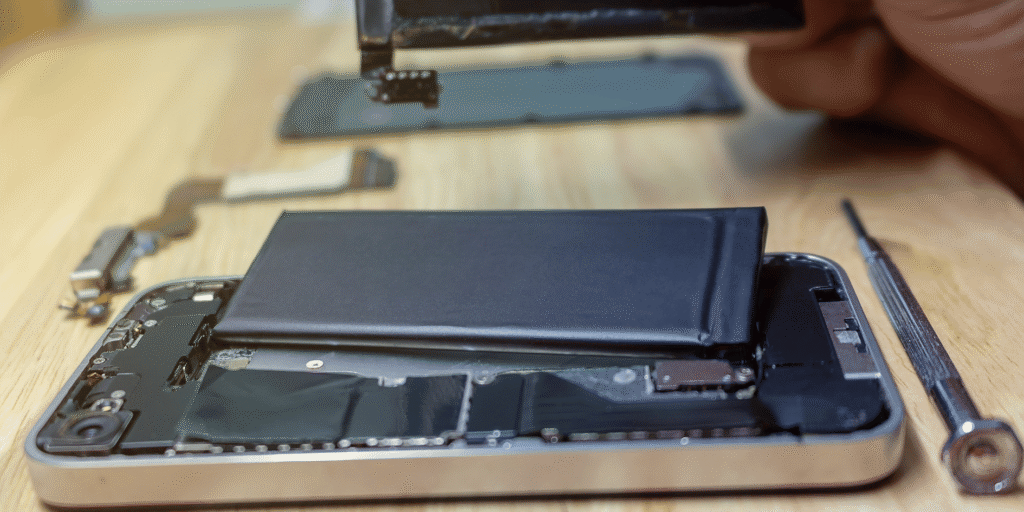
Is your iPhone losing charge faster than ever or shutting down randomly? You’re not alone. At Reparation Tech, we specialize in iPhone battery replacement in Montreal and have helped thousands of users restore their phone’s battery life. Knowing when to replace your iPhone battery is essential for performance, safety, and convenience. This guide is packed with practical tips from expert mobile phone repair technicians in Montreal to help you recognize the warning signs.
This content falls under YMYL (Your Money, Your Life) as it involves device health and data safety. All recommendations come from qualified repair specialists at Reparation Tech.
What Causes iPhone Battery Degradation?
Every lithium-ion battery has a limited lifespan. Over time, repeated charging cycles cause the battery’s capacity to shrink. Apple states that after around 500 full charge cycles, iPhone batteries begin to hold significantly less charge.
Common Causes Include:
- Frequent fast charging
- Exposure to heat
- Using unauthorized chargers
- Software bugs or outdated iOS
According to Apple Support, battery performance impacts device speed, reliability, and overall safety.
Signs Your iPhone Battery Needs Replacing

1. Your iPhone Battery Drains Too Fast
If your fully charged iPhone drops to 50% in under an hour, it’s a clear sign of reduced battery health. This is one of the most reported issues we handle in our iPhone repair services.
2. Sudden Shutdowns or Restarts
If your iPhone turns off even when the battery shows 20% or more, the battery can no longer maintain consistent voltage.
3. Overheating During Regular Use
Heat is both a cause and symptom of battery failure. If your iPhone gets warm while texting, browsing, or idle — it’s time to act.
4. Swollen Battery or Lifted Screen
A swollen battery can push against the screen. This is dangerous and requires immediate replacement. We handle urgent cases at our Montreal repair location.
5. Battery Health Percentage Is Under 80%
Go to Settings > Battery > Battery Health. If it says “Service” or shows less than 80% capacity, your phone is due for a new battery.
iPhone Battery Replacement in Montreal: What Are Your Options?
🔧 Visit a Trusted Local Repair Shop
Skip delays from Apple appointments. Our mobile phone repair technicians replace iPhone batteries same-day, using high-grade parts.
🔍 Get an Instant Quote Online
Want to know the price before coming in? Use our Instant Quote Tool for transparent, upfront pricing.
🛠 Ask About Other Device Issues
Battery problems often come with other wear and tear. We also offer:
Practical Tips to Extend Battery Life
- Avoid charging overnight
- Use original or MFi-certified chargers
- Keep iOS updated
- Enable Low Power Mode when needed
- Avoid direct sunlight or overheating
For detailed advice, visit Apple’s official battery performance page.
Conclusion
A bad battery can lead to performance drops, app crashes, and even data loss. If your iPhone is showing any of the signs above, don’t delay. Reparation Tech Montreal offers reliable mobile phone repair near you with quick turnaround, expert technicians, and a lifetime warranty on most repairs.
Take charge of your phone’s health — and your peace of mind.
FAQs
Q1: Can I replace my iPhone battery at home?
A: It’s possible but not recommended. DIY battery replacement can be risky without the proper tools or training. Visit Reparation Tech for safe, professional help.
Q2: How long does an iPhone battery replacement take?
A: Most battery replacements are done in under one hour when you visit our Montreal location.
 English
  French